You record.
Clarcut does the editing.
Zooms on your clicks, a smooth cursor, clean audio, subtitles and a beautiful background: Clarcut adds it all automatically. Record, export, done.
FreeNo account neededWindows and Mac
Switching from Screen Studio, FocuSee, Rapidemo or Camtasia? 15% off with
00:00.00 / 00:14.00
1
You record
Full screen, a window or an area, with your camera and mic. One shortcut to start, one to stop.
2
Clarcut edits
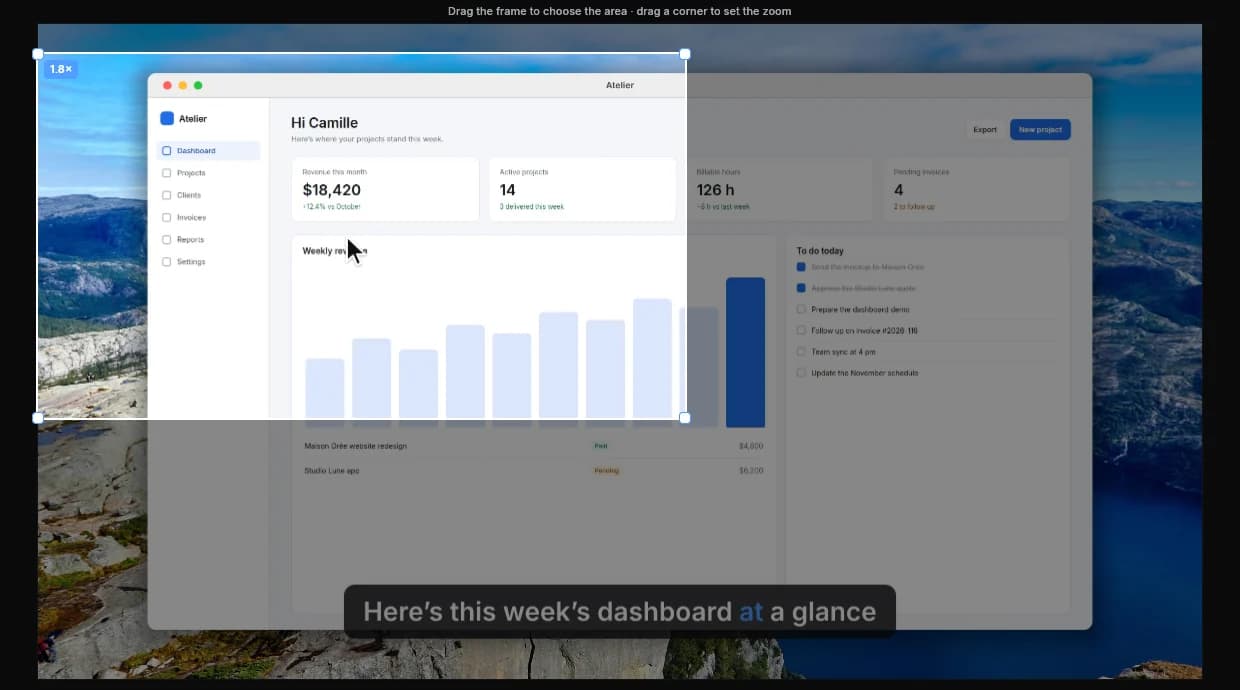
Zooms on your clicks, a smooth cursor, clean audio, background and frame applied. Nothing to do.
3
You publish
Move a zoom, cut a section, add subtitles. Export to MP4 or GIF, ready to share.
Made for people who don’t have time to edit.
No learning curve: you record, Clarcut prepares a clean video you can tweak in a few clicks.
A pro look in three clicks.
Pick a background, a format, a frame: exactly what Clarcut’s editor does, in one click.

Background
Format
Window
Corners
The same settings as in the app. Save them as a style and apply them to all your videos.
What you’ll never have to do again.
Clean audio
Background noise is removed and the volume evened out, with no settings.
Smart camera
Your camera bubble moves away from the cursor and can hide when you’re not talking.
Nothing gets lost
Crash or power cut: your recording is recovered the next time you open Clarcut.
On-screen shortcuts
Shortcuts you press appear on screen. The rest of your typing is never recorded.
Smooth cursor
Mouse movement is smoothed and every click gets a subtle ripple.
Account
camille@atelier.studio
••••••••••
Blurred areas
An email or a password on screen? Blur it in two clicks.
npm run build && deploy
Sped-up typing
Long typing stretches play faster, adjustable just like a zoom.
0 bytes
uploaded, even for subtitles
100% on your computer
Recording, editing, exporting and transcription: everything stays on your machine.
Comparing with another tool?
$44. Once. That’s it.
The free version already does all the editing. Pro removes the watermark and adds 4K and subtitles, for a one-time $44.
Free
$0
Forever, no account needed.
- Full recording and editing
- Zooms, cursor, backgrounds, clean audio
- 1080p export at 30 fps
- Small Clarcut watermark
Clarcut Pro
Everything unlocked$44one-time
Then $21 a year for updates, if you want them.
- Everything in Free, no watermark
- Export up to 4K at 60 fps
- Automatic word-by-word subtitles
- Automatic audio sync
- 3 computers, 1 year of updates
VAT not applicable, article 293 B of the French Tax Code.
| Feature | Free | Pro |
|---|---|---|
| Record your screen, a window or an area, camera, mic, sound | ||
| Automatic zooms, smooth cursor, backgrounds and frames | ||
| Cuts, speed-ups, masks, on-screen shortcuts | ||
| Clean audio (background noise, volume) | ||
| Export quality | 1080p, 30 fps | Up to 4K, 60 fps |
| Clarcut watermark | Yes | None |
| Automatic subtitles (styles, word by word, .srt) | ||
| Automatic sync of an external mic | ||
| Computers | Unlimited | 3 per license |
Switching from Screen Studio, FocuSee, Rapidemo or Camtasia?
Get 15% off Clarcut Pro with this code, to enter on the checkout page.
Frequently asked questions
Another question? Email us at contact@clarcut.com.
Yes. You can record and edit as many videos as you like, with no account and no time limit. The free version exports in 1080p at 30 fps with a small Clarcut watermark.
Watermark-free exports up to 4K at 60 fps, automatic subtitles (styles, colors, word-by-word animation, .srt export) and automatic syncing of an external mic with the recorded audio.
No. Clarcut Pro costs $44, once, with one year of updates included. After that, you can renew updates for $21 a year if you want. Without renewing, Clarcut Pro keeps working on every version released during your update period.
Your Pro license works on 3 computers, Windows or Mac. To switch, unlink an old computer from your account (once every 3 months).
No. Everything happens on your computer: recording, editing, exporting and even subtitle transcription. Clarcut only contacts our servers for your account and updates.
Yes. Clarcut is still new and Windows doesn’t know it yet. Click “More info”, then “Run anyway”. Installing doesn’t require administrator rights.
Yes, on Apple silicon Macs (M1 or later) running macOS 13 Ventura or later. Clarcut is signed and notarized by Apple. The same Pro license works on Windows and Mac, up to 3 computers.
Yes: 15% off Clarcut Pro with the code TCHAO15, to enter on the checkout page.
Yes, within 14 days of purchase, just email contact@clarcut.com. Your license is then deactivated and Clarcut goes back to the free version.
Try it on
your next video.
Download Clarcut, record, export. Free, no account needed.
Windows 10 and 11 · macOS 13 or later (Apple silicon)