Feature
Share a screen recording with a link
Updated
In short
To share a video with a link, you host it online and send the URL instead of a file that's too big for email. With Clarcut Plus ($9/month or $90/year), you go to Export → Share link: the video uploads, the link is copied, and your recipient opens a page with the player and a clickable transcript right next to it. Clarcut Plus is optional and works with or without Clarcut Pro.
Why share a video as a link instead of a file
A screen recording of a few minutes can easily weigh tens of megabytes, often more than an email attachment allows (Gmail caps attachments at 25 MB). Even when it goes through, your recipient has to download it, find a player and has no idea how long it is.
A link opens in one click, in the browser, on desktop or phone. You can paste it anywhere: email, support ticket, chat, docs. And you can send someone straight to the right moment.
How to create a share link, step by step
- 1
Edit your video as usual
Zooms, cuts, captions: the link shares the edited version.
- 2
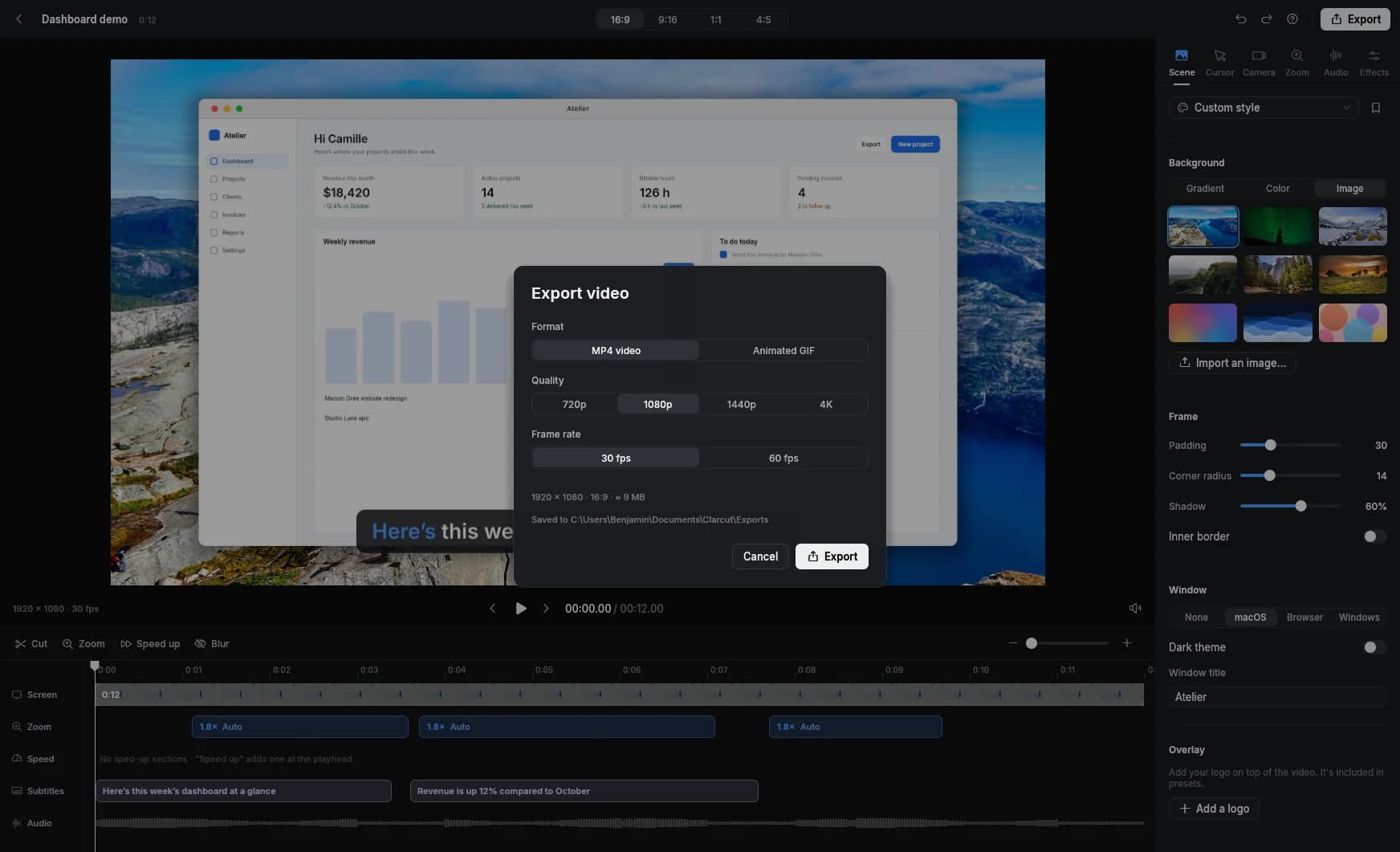
Go to Export → Share link
This is the only time Clarcut sends anything online, and only when you ask it to.
- 3
Give the video a title
It shows at the top of the watch page. You can add a description too.
- 4
Let Clarcut add the transcript
It appears next to the video, timestamped and clickable.
- 5
Start the upload
Clarcut prepares a lighter web version and uploads it. When it's done, the link is copied.
- 6
Paste the link
The page opens at an address like clarcut.com/v/…, and viewers don't need an account to watch.
What your viewer sees
- A video player, right in the browser.
- A timestamped transcript next to the video: click a sentence to jump to that moment.
- Search inside the transcript, to find a word or setting without watching everything.
- Links to a specific moment (the ?t= parameter in the URL), perfect for “watch from 1:42.”
- The title and description you added.
Option: share on your own domain, white label
If you send videos to clients, you can put them under your own name. White label, included in Clarcut Plus, shows the watch page on your own domain (for example video.yoursite.com/v/…), with your logo, your name, your accent color and a light or dark theme. The page carries no mention of Clarcut at all: no logo, no link, no Clarcut analytics.
You set it up once, under Account → White label: pick a subdomain and add one CNAME record at your DNS provider. From then on, links copied from the app use your domain. One domain per account, and it covers video pages only.
The full setup is covered on the White label video hosting page.
What Clarcut Plus includes
| Clarcut Plus | |
|---|---|
| Price | $9/month or $90/year |
| Share links | Unlimited |
| Watch page with clickable transcript | |
| White label (your domain, your logo) | |
| Storage | 100 GB |
| Max video size | 5 GB and 2 hours |
| Requires Clarcut Pro | No, works with or without Pro |
| If you cancel | Links stay viewable for 30 days, then videos are deleted |
Real-world uses
- Customer support: instead of a ten-step email, record the fix in two minutes and paste the link into the ticket. The customer can search the transcript for a word.
- Onboarding: one video per key step, sent at the right time, with a link that starts right at the useful part.
- Feedback: show on screen what needs to change on a mockup or page instead of writing it out.
- Handoffs: explain an internal process once, and make it findable through transcript search.
- Sales outreach: a personalized demo sent to a prospect says more than a brochure.
Ways to share a video by link, compared
| Method | One-click link | Transcript alongside | Timestamp links | What to know |
|---|---|---|---|---|
| Email attachment | Size limits, file has to be downloaded. | |||
| Google Drive, OneDrive, Dropbox | Handy if you already have the space; you have to manage access permissions, and the player is basic. | |||
| Unlisted YouTube video | Auto captions | Free, but ads and suggested videos may appear, and a public platform isn't right for everything. | ||
| Loom and similar tools | Depends on plan | Recording and sharing in one tool, with team features. | ||
| Clarcut Plus | Yes, clickable and searchable | Shared straight from Clarcut's export; no comments or team workspaces. |
Best practices for shared videos
- Write a title that says what the video solves: “Export your invoices as PDF,” not “Recording 12.”
- Add a two-line description with context, especially for a support ticket.
- Use timestamp links for targeted answers: the customer jumps straight to the step that matters to them.
- Read the transcript: it includes everything you say, including a name or email address you mentioned by accident.
- Blur sensitive data before you share: once a video is out, it can get forwarded.
- Keep an MP4 copy of videos that need to last: if you cancel Clarcut Plus, videos are deleted after 30 days.
When Clarcut Plus isn't the right choice
If your team wants to comment on videos, organize them in shared workspaces or connect them to Slack or Notion, Clarcut Plus doesn't do that: no comments on shared videos, no team workspaces, no integrations. A tool like Loom is built for that.
If you're publishing to a large audience, YouTube or your own course platform is still the way to go. And if you only need to send a file once in a while, exporting an MP4 and sharing it from the cloud storage you already use costs nothing extra.
Frequently asked questions
How do I send a video that's too big for email?
Host it and send a link. With Clarcut Plus, go to Export → Share link: the link is copied automatically, so you just paste it into your email.
Do viewers need an account to watch?
No. They open the clarcut.com/v/… page in their browser and watch the video with the transcript alongside.
Can I send someone to a specific moment in the video?
Yes. The link accepts a start time (?t= in the URL), and every sentence in the transcript jumps to the moment it's spoken.
Do I need Clarcut Pro to share links?
No. Clarcut Plus ($9/month or $90/year) is an optional subscription that works with or without Clarcut Pro.
What happens to my links if I cancel?
They stay viewable for 30 days, then the videos are deleted. Keep MP4 copies of anything you want to hold on to.
Are my other videos uploaded?
No. Clarcut does all editing on your computer. Only the videos you create a share link for get uploaded.
How big a video can I share?
Up to 5 GB and 2 hours per video, with 100 GB of total storage.
Can I share videos on my own domain, without the Clarcut name?
Yes, white label is included in Clarcut Plus. You connect a subdomain (for example video.yoursite.com) with a single CNAME record, and your links then open on that domain with your logo and colors, with no mention of Clarcut.