Use case
How to make a product launch video that lands
Updated
In short
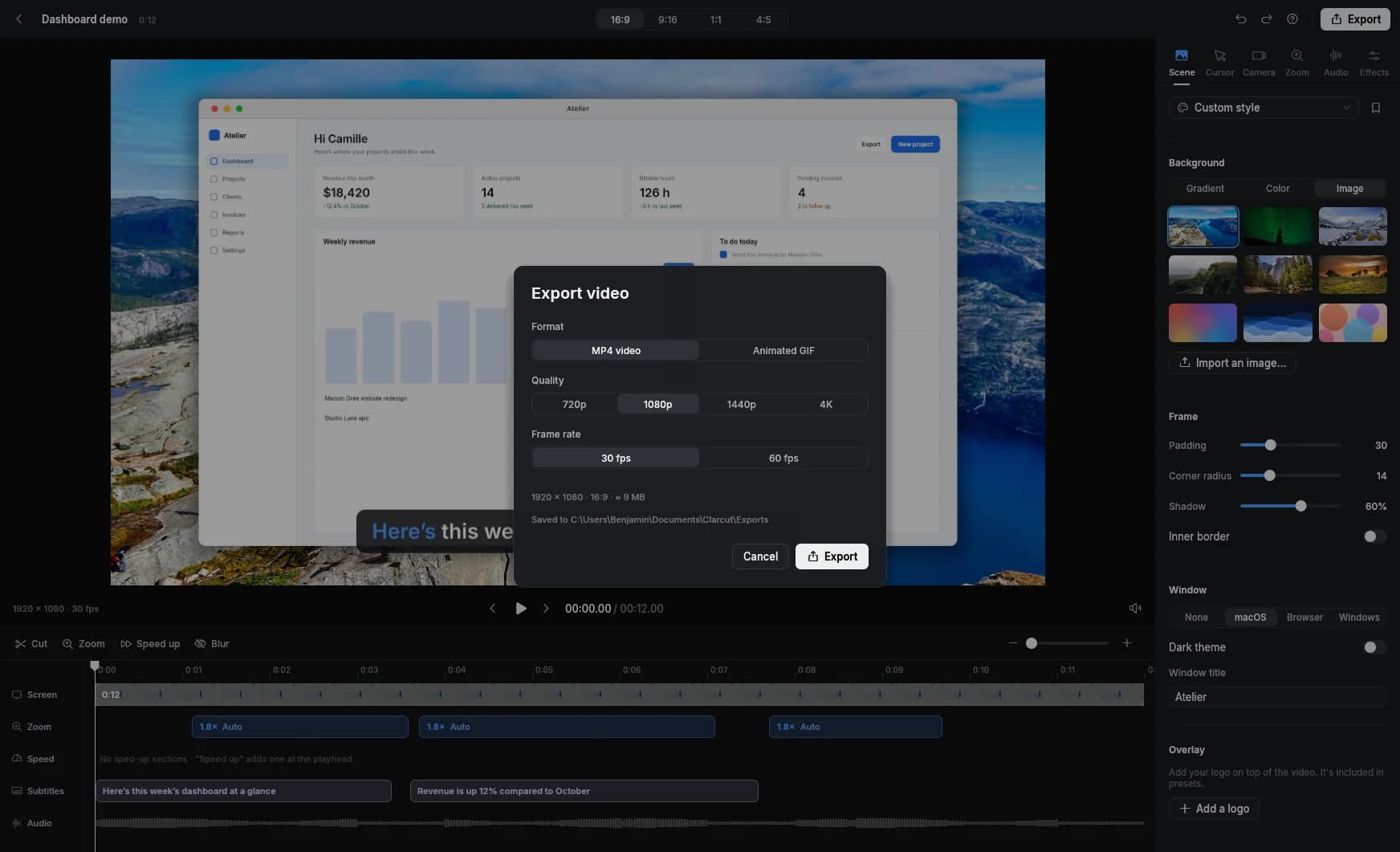
A launch video shows the problem, your product in action and the result in 30 to 90 seconds, then tells people what to do next. It has to work with the sound off and come in several formats: 16:9 for your site and Product Hunt, square or 4:5 for LinkedIn, vertical 9:16 for mobile feeds. Clarcut gives your screen recording a polished look (zooms, smooth cursor, background) and reframes the same video for each format.
What a launch video needs to do
A launch video isn’t a full demo. In a few seconds, it should make clear what your product does, who it’s for, and why it’s worth trying. Everything else (pricing, details, edge cases) belongs on your landing page.
For a detailed walkthrough to go with your product page, see our product demo video guide. This page is about the launch-day video: the one that plays on X, LinkedIn, Product Hunt and in your announcement email.
- The first 3 seconds show the product or the result, not your logo.
- One flow: the one that makes people go “oh, that’s what it does.”
- Readable with the sound off, through on-screen text or captions.
- A polished look, because the video signals the quality of the product.
- One clear call to action at the end.
The 60-second structure
- 1
0–5 sec: the hook
The end result on screen, or the problem in one line: “Still spending an hour editing every demo?”
- 2
5–15 sec: the problem
Show the pain concretely: the old way, the endless spreadsheet, the ten open tabs.
- 3
15–45 sec: the product in action
One end-to-end flow, at a brisk pace. Every important click is zoomed, typing is sped up.
- 4
45–55 sec: the result
The deliverable, the time saved, the final screen. Hold on it for two or three seconds.
- 5
55–60 sec: the call to action
Product name, URL, and your launch offer if you have one.
One recording, every format
| Channel | Recommended format | Length | Good to know |
|---|---|---|---|
| Landing page | 16:9 | 45–90 sec | Autoplays muted, so add captions or on-screen text |
| Product Hunt (gallery) | 16:9 | 45–90 sec | The gallery takes a YouTube link: upload it ahead of launch day and set it to public |
| X | 16:9 or 1:1 | Under 2:20 | Standard accounts are capped at 140 seconds of video |
| 1:1 or 4:5 | 30–90 sec | Square and 4:5 take up more of the mobile feed | |
| Reels, Shorts, TikTok | 9:16 | 15–60 sec | Shorts can run up to 3 minutes in vertical or square |
| Launch email | Animated GIF + link | 5–10 sec GIF | The GIF earns the click; the full video lives on your page |
Product Hunt’s daily leaderboard runs midnight to midnight Pacific time, which is why most teams launch at 12:01 a.m. PT. Your video needs to be finished and live the day before.
Prepping the recording
- Script the flow click by click and rehearse it two or three times. Hesitation shows in a launch video.
- Set up a spotless demo account: believable names, realistic numbers, no “asdf” test data.
- Use a reasonable screen resolution (1440 × 900 or 1920 × 1080) and bump the UI zoom up a notch.
- Want a richer voiceover? Record it on an external mic; with Clarcut Pro, the track syncs to your screen automatically. You can also drop in background music.
- Record several short takes, one per step of the flow, instead of one long risky take.
- Hide anything that isn’t announced yet: a feature in progress, placeholder pricing.
Editing with Clarcut
- Automatic zooms on clicks that you can fine-tune: level, framing, motion blur. This is what makes a launch video readable.
- An extra-smooth cursor, macOS style, click ripple, hidden when idle.
- Photo or gradient backgrounds, rounded corners, shadow and a mock window, so your screen looks like a presentation visual.
- Logo overlay and style presets, to keep the same branding across every version.
- Automatic sped-up typing and manual speed-ups to fit in 60 seconds.
- Automatic captions (Clarcut Pro) in a social or karaoke style, essential for muted autoplay.
- 16:9, 9:16, 1:1 and 4:5 formats: the framing adapts without re-recording.
- Export up to 4K at 60 fps with Clarcut Pro, or as an animated GIF for email.
- Clarcut Plus share links for sending a preview to press or partners, on your own domain and with your logo thanks to white label. These pages aren’t indexed by search engines, so the public video still belongs on YouTube and your site.
Mistakes to avoid
- Opening with a 5-second logo animation. Half your audience is already gone.
- Showing every feature. Nobody remembers any of them.
- Relying on the voiceover. In a feed, the video starts muted.
- Posting the same 16:9 video everywhere. In a vertical feed, it’s a thin strip in the middle of the screen.
- Finding out on launch day that your Product Hunt video is private or unlisted.
- Forgetting the call to action, or including three of them.
Distributing and measuring the launch
Prepare every version before launch day: the 16:9 file on YouTube for Product Hunt and your site, the square or 4:5 cut for LinkedIn, the vertical cut for mobile feeds, and the GIF for email. Upload the video natively to each network rather than posting a YouTube link: autoplay in the feed works in your favor.
Track completion rate on each network, but above all clicks to your site and signups, with a tagged link per channel (UTM parameters). If the video gets plenty of views but few clicks, your call to action is too weak or comes too late.
What Clarcut won’t do for a launch
Clarcut edits screen recordings; it doesn’t make animated films. There’s no motion graphics, no animated titles, no drawn annotations (arrows, shapes) and no advanced multitrack editing. For a highly produced trailer, many teams record the screen sequences in Clarcut, export them as MP4s, then assemble everything with titles in a traditional video editor.
There are no AI voices or avatars, either: the voiceover is you or whoever you choose. And Clarcut doesn’t post to social networks for you: you export, then upload.
Frequently asked questions
How long should a product launch video be?
30 to 90 seconds for the main video. On X, standard accounts are limited to 140 seconds. For Reels, Shorts and TikTok, a 15 to 60 second cut tends to work better.
What video format does Product Hunt use?
The Product Hunt gallery takes a YouTube link. Prepare a 16:9 version of 45 to 90 seconds and publish it as public on YouTube before launch day.
Does a launch video need a voiceover?
Not necessarily, but it has to work with the sound off, through captions or on-screen text. A calm voiceover helps on your landing page and YouTube, where sound is more often on.
Can I make a vertical video from a horizontal screen recording?
Yes. In Clarcut, pick 9:16, 1:1 or 4:5 and the framing adapts from the same recording, with zooms that follow the action.
Can Clarcut replace an agency for a launch video?
For a screen-focused product video, often yes. For a film with live footage, animation and motion graphics, no, since Clarcut doesn’t do those. You can still use it for the screen sequences.
How much does it cost to make a launch video with Clarcut?
Clarcut is free, with watermarked 1080p exports. For a public video with no watermark, in 4K at 60 fps with captions, Clarcut Pro is $44, one-time.