Best auto-zoom screen recorders in 2026 (Windows & Mac)
Updated · 13 min read
In short
If you're Mac-only and polish matters more than price, Screen Studio is still the benchmark ($9 a month billed yearly). For Windows and Mac with a one-time payment, Clarcut (free with a watermark, Pro for $44 once) and FocuSee are the most direct picks. For free and open source, look at Cap or Recordly; for hosted videos shared across a team, Tella; for full-blown editing like a training-video suite, Camtasia. Prices checked on official sites in November 2026.
Quick picks
A table to spot, in ten seconds, the tools that match your platform and budget. Details for each tool follow below.
| Tool | Platforms | Price (Nov 2026) | Free tier | Auto zoom | Best for |
|---|---|---|---|---|---|
| Screen Studio | macOS only | $29/month, or $108/year | No: try everything, exporting requires a subscription | The most polished output on Mac | |
| Clarcut | Windows 10 & 11, Apple silicon Macs | Free, or $44 once (Pro) | Yes: 1080p 30 fps with a small watermark, no time limit | Windows and Mac without a subscription | |
| FocuSee | Windows and macOS | $49.99/year, or $199.99 once (Advanced) | Trial: one exported video | Lots of AI features, multi-language captions | |
| Cap | macOS, Windows, Linux | Free (personal use), $29/year or $58 once for commercial use | Yes: 4K export, no watermark, personal use | Free and open source | |
| Tella | Mac, Windows, Chrome extension | From $13 per user/month (annual) | 7-day trial | Hosted videos shared across a team | |
| Camtasia | Windows 10 & 11, macOS 14+ | $179.88 to $599/year | Trial with watermark | Yes (SmartFocus) | Training content and full editing |
| Cursorful | Chrome extension; Mac and Windows apps with Pro | Free, or $79 once (Pro) | Yes: browser tabs, non-commercial use | Web product demos | |
| Rapidemo | Windows 10 & 11 | $108/year, or $199 once | Record and edit yes, export no | Windows-only, lifetime license |
How we compared
We compared these tools in early November 2026 using their official pages (pricing, specs, documentation) against one typical scenario: a 3 to 5 minute software demo with voiceover, a handful of clicks and a stretch of typing. For every tool we looked at the same things:
- Platforms: Windows, Mac, Linux, or browser only.
- Auto-zoom behavior: what triggers it (every click, click clusters, movement) and how easy it is to fix.
- What gets done without you: cursor smoothing, background, audio cleanup, silences, captions.
- Real cost over one and three years, subscription or one-time.
- What the free tier or trial actually allows: watermark, blocked export, personal use only.
- Sharing: hosted links, transcripts, analytics.
Clarcut is our app. We kept it in the list because it answers the question, but we held it to the same criteria, and it doesn't win every category. We didn't rank tools on sales figures or customer reviews, which we can't verify.
Screen Studio: the most polished output on Mac
Screen Studio started the trend of demos that zoom by themselves. It looks at where you clicked, zooms in on the moments that matter, smooths the cursor and sets the video on a clean background. The default result is very polished, and it's still the tool many Mac creators name first.
- Strengths: excellent defaults, captions transcribed on your Mac, built-in share links (1080p at 60 fps for videos up to 30 minutes), 40% student discount.
- Limits: macOS only (13.1 or later), and the developer says there are no near-term plans for Windows. No free tier: you can try everything, but exporting requires a subscription.
- Price as of November 2026: $29 a month, or $9 a month billed yearly ($108). No lifetime license.
- Who it's for: you work only on a Mac, publish often and don't mind a subscription.
Clarcut: Windows and Mac, pay once
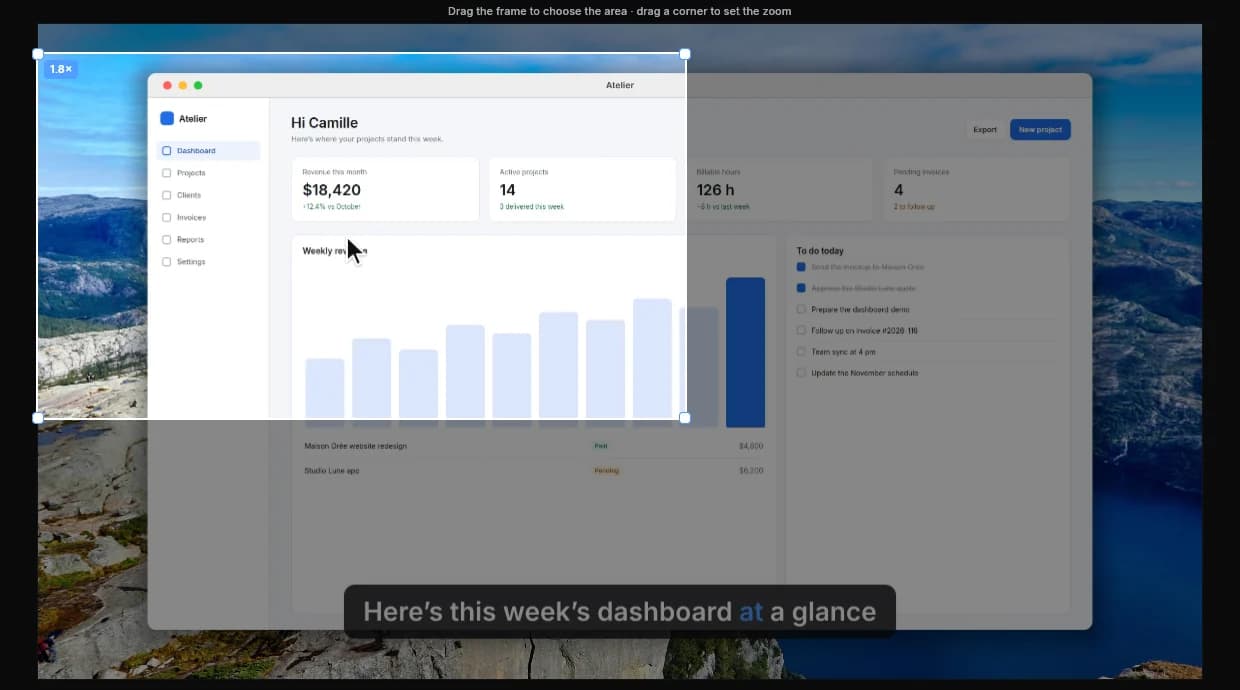
Clarcut records your screen, camera and mic, then edits the video for you: smooth zooms on your clicks, a smoothed cursor, background and frame, background noise removed and silences cut in one click. Mouse position and clicks are recorded separately, so you can recalculate zooms or change the cursor style after the fact.
- Strengths: the same app on Windows 10 & 11 and Apple silicon Macs, with one license. A free version with no time limit and no account, auto-editing included. "Speed up when I type" shortens long typing stretches. Captions transcribed on your computer (Pro).
- Limits: no Intel Macs, no Linux, no browser extension. No team collaboration and no comments on shared videos. Share links require an optional subscription. The free version adds a small watermark and stops at 1080p 30 fps.
- Price: free, or Clarcut Pro for $44 once (4K, 60 fps, no watermark, captions, one year of updates, 3 computers). Optional Clarcut Plus at $9 a month or $90 a year for share links, including white label: shared videos can play on your own domain with your logo and colors.
- Who it's for: you're on a Windows PC, or switch between Windows and Mac, and you'd rather pay once.
FocuSee: feature-rich, on Windows and Mac
- Strengths: auto zoom, auto subtitles (speech recognition in 9 languages) and AI subtitles in 55+ languages on higher tiers (using AI credits). Windows and macOS.
- Limits: the trial only lets you export one video. Some AI features consume credits. The Standard plan covers a single computer.
- Price as of November 2026: Standard at $49.99 a year (or $19.99 a month), Advanced at $79.99 a year (3 computers) or $199.99 once (5 computers).
- Who it's for: you want lots of settings and captions in several languages, on Windows or Mac.
Cap: the best free and open-source pick
- Strengths: open-source app (mostly AGPLv3) for macOS, Windows and Linux. Studio Mode with editable auto zooms, backgrounds, cursor settings and captions; Instant Mode uploads while you record so a link is ready right away. 4K at 60 fps export even on the free plan, with no watermark mentioned.
- Limits: the free plan is for personal use only. Free share links are capped at 25 a month, 5 minutes each. AI features (titles, summaries, chapters) are part of Cap Pro.
- Price as of November 2026: free for personal use; Desktop License (commercial use) at $29 a year or $58 once; Cap Pro at $12 a month, or $8.16 a month billed yearly.
- Who it's for: you want a free, open tool, or you care about source code or Linux.
Also worth a look: Recordly, another open-source recorder (AGPL-3.0) for Mac, Windows and Linux, completely free, with zoom suggestions based on cursor activity and MP4 or GIF export. It's a younger project, worth trying if Cap isn't a fit.
Tella: for sharing across a team
- Strengths: recording up to 4K, editing on a timeline or through the transcript, auto zoom, captions in 106 languages, unlimited hosting with an embeddable player. Mac and Windows apps plus a Chrome extension.
- Limits: no lasting free plan, only a 7-day trial. Per-user pricing adds up fast for a team. The AI assistant runs on monthly credits.
- Price as of November 2026: Pro at $13 per user per month, Premium at $19 (billed annually).
- Who it's for: a team that publishes demos, onboarding or sales videos and wants hosting in the same place.
Camtasia: full editing, now with auto zoom
- Strengths: a real multitrack timeline, cursor effects (smoothing, click highlights), captions and translations, plus SmartFocus, which adds zoom and pan animations automatically from clicks, scrolling and mouse movement. Windows 10 & 11, macOS 14 or later.
- Limits: a fairly expensive annual subscription and a steeper learning curve. SmartFocus works on recordings made with Camtasia's own recorder (.trec), and its zooms need a review on busy screens.
- Price as of November 2026: Essentials at $179.88, Create at $249, Pro at $599 per year. The trial adds a watermark.
- Who it's for: trainers and teams building long modules with quizzes, animations and many tracks.
Cursorful, Rapidemo and CANVID: other solid options
- Cursorful: a free Chrome extension, no sign-up and no watermark, that zooms when you make two or more clicks within 3 seconds. It only records the browser, and free use is non-commercial. Cursorful Pro ($79 once as of November 2026) adds Mac and Windows apps, mic, camera and 4K. Ideal if your product lives in the browser.
- Rapidemo: a Windows 10 & 11 recorder with zooms on clicks, cursor smoothing and subtitles, all processed locally. Recording and editing are free, but exporting needs a license: $9 a month billed yearly ($108) or $199 once, for 3 Windows computers. No Mac version.
- CANVID: Windows and Mac, zoom on every click, subtitles and audio cleanup. You can try everything for free except export and sharing. Pro at $7 a month billed yearly ($84), or a Desktop license at $75 once on promotion ($159 regular), as of November 2026.
How to choose
- 1
Start with your platform
Mac only: everything's on the table, with Screen Studio leading. Windows: Screen Studio is out, so look at Clarcut, FocuSee, Cap, Camtasia or Rapidemo. Linux: Cap or Recordly. Browser only: Cursorful.
- 2
Price it over three years
A $108-a-year subscription is $324 over three years. A one-time purchase with optional updates often costs less if you record regularly.
- 3
Test auto zoom on your own demo
One zoom per click works on a calm demo; on an interface where you click fast, you need to merge, move or delete zooms. Make sure fixes take seconds.
- 4
Check what the free tier really allows
Watermark, blocked export, personal use only or time limits: every tool restricts something different. Do one full export before paying.
- 5
Decide where your videos live
If you mostly send links to coworkers or customers, hosting (Tella, Cap, Screen Studio, Clarcut Plus) matters as much as editing. If you publish files to YouTube or an LMS, a good MP4 export is enough.
Mistakes to avoid
- Picking from a marketing video: every vendor shows its best case. Record your own interface, with your real workflow.
- Clicking everywhere while recording: every click can trigger a zoom. Move the mouse without clicking when you're just pointing at something.
- Recording full screen on a huge monitor: text becomes tiny once the video is watched on a phone. Record a window or lower the resolution.
- Forgetting captions: lots of videos are watched muted. Check whether captions are included, paid, or credit-based.
- Paying for a team plan as a solo creator: per-user plans only make sense if you need the shared workspace.
Frequently asked questions
What's the best screen recorder with auto zoom?
It depends on your platform. On Mac, Screen Studio has the most refined output, on a subscription. On Windows and Mac with a one-time payment, Clarcut ($44 once) or FocuSee ($199.99 once for Advanced). For free and open source, Cap. For a team sharing videos, Tella.
Is there a Screen Studio for Windows?
No. Screen Studio is macOS only and the developer has no near-term plans for Windows. On Windows, Clarcut, FocuSee, Cap, Rapidemo, CANVID and Camtasia (SmartFocus) all offer auto zoom.
Which auto-zoom screen recorder is free?
Cap is free for personal use, with 4K export and no watermark. Recordly is completely free and open source. Cursorful is free in Chrome for non-commercial use. Clarcut is free with no time limit, at 1080p 30 fps with a small watermark.
Can auto zoom get it wrong?
Yes. It relies on clicks and mouse movement: if you click a lot it zooms too often, and on a busy screen it can miss the target. Good tools let you move, resize or delete every zoom. Always plan a quick review pass.
Can I pay once instead of subscribing?
Yes. Several tools sell a one-time license (prices as of November 2026): Clarcut Pro at $44, Cap Desktop at $58, CANVID Desktop at $75 on promotion, Cursorful Pro at $79, FocuSee Advanced at $199.99 and Rapidemo at $199. Screen Studio, Tella and Camtasia are subscription-based.
Does OBS Studio do auto zoom?
Not out of the box. OBS is excellent for recording and streaming but doesn't edit: you'd need community scripts or plugins, or an editor afterward. For effortless auto zoom, a dedicated tool is simpler.
Are captions included with auto-zoom recorders?
Not always. Screen Studio transcribes them on your Mac, Clarcut transcribes them on your computer with Pro, FocuSee includes subtitles in 9 languages and adds more with AI credits, and Tella offers them in 106 languages.